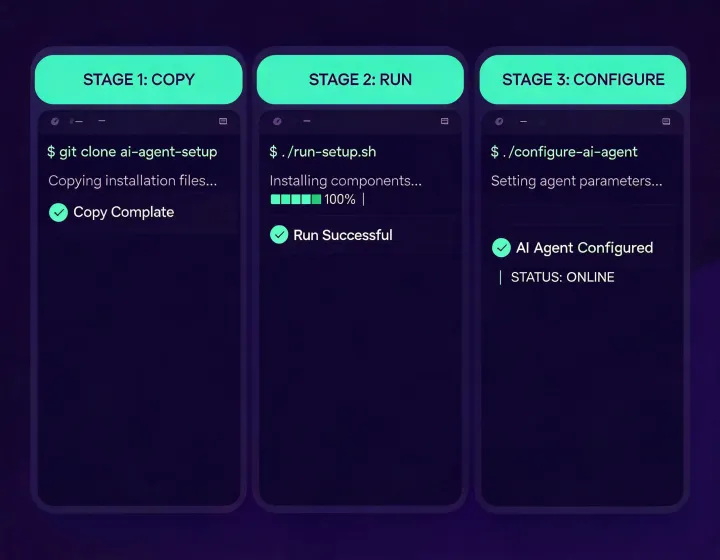
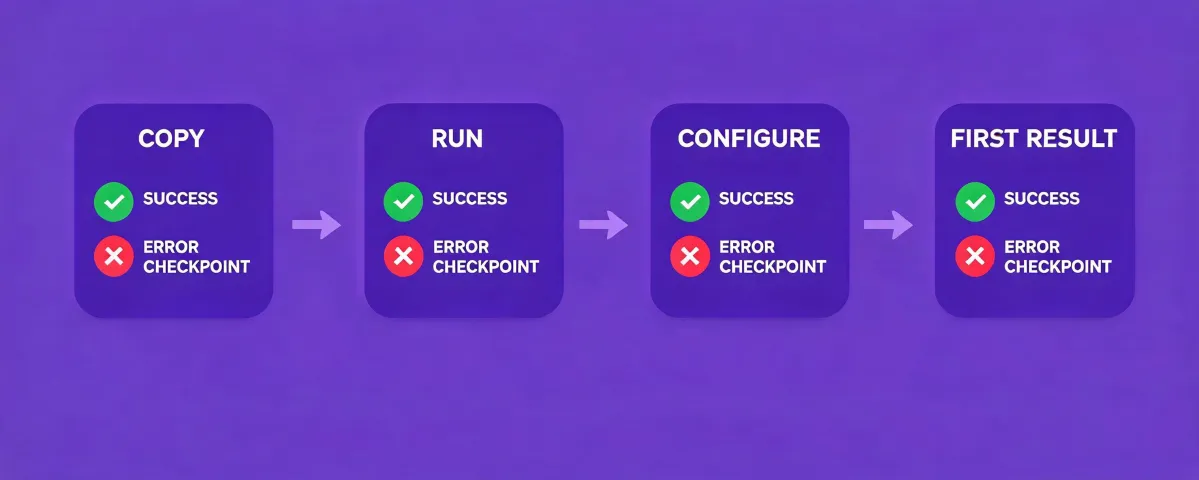
This page is an installation reference, not a sales contact form. Keep the terminal output visible, use a test workflow first, and treat every connection as a permission decision.
INSTALL SUPPORT MAP
Three places to look when a run does not behave as expected.
Trace the failure to one state before changing more than one variable. A clean incident note includes the runtime, operating environment, non-sensitive error text, last completed state, and smallest reproducible task. It excludes tokens, personal data, and full prospect exports.
01
Terminal output
Read the package prompt, runtime messages, and error text. Capture the exact command environment and failure stage before changing configuration. An installer error is different from a provider authentication rejection, so preserve the boundary in your notes.
02
Agent permissions
Confirm the runtime can load the installed skill and that each external provider uses the least privilege required for the test task. Check secret storage, expired credentials, API rate limits, and whether the requested tool is actually enabled.
03
First-result evidence
Inspect selection logic, source timestamps, missing fields, and contact verification. A completed run can still produce a result that needs rejection. Test known-fit, known-misfit, and ambiguous accounts before trusting the workflow with a larger segment.
Before escalating a problem
Record the agent runtime and operating environment you actually used.
Remove credentials from screenshots, logs, and copied error messages.
Separate installer failure from provider authentication or rate-limit failure.
Revoke any key that may have been exposed during troubleshooting.
Confirm suppression, opt-out, and human review controls before downstream use.
Copy the installer exactly as shown.
The button copies only the command. Run it yourself, inspect the output, configure access, and verify a first result.
npx -y @okki-global/okki-go-taroball
Before troubleshooting, identify the boundary that failed. An installer error, a runtime loading problem, provider authentication, rate limiting, and a low-quality prospect result are separate incidents. Preserve the smallest reproducible task and only the non-sensitive part of its output. Note which state completed, which state did not, and what changed since the last successful run. Never paste a secret into support material; rotate any token exposed in a log or screenshot. For removal, use the package and runtime controls shown by your environment, revoke external provider keys separately, inspect output destinations, and verify downstream retention.