Procuring Omron PLCs and Industrial Controls: Field Notes from an Admin Buyer
2026-11-03 · Mateo Alvarez
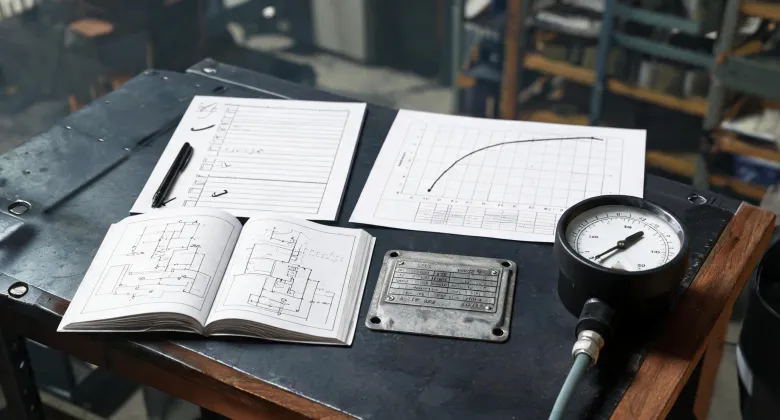
If you only remember one thing: for any industrial control equipment purchase, the first question should be "where is the programming manual and distributor support" — not "what's the price." Price is secondary. Small batch orders constantly get stranded because of documentation gaps or firmware version mismatches. And they usually happen on a Friday afternoon.
I'm the office administrator at a 47-person company. I handle all ordering — from Omron PLCs on the factory floor to office infrastructure — roughly $120k annually across 7 vendors. I don't write PLC programs, but I sit next to the technicians who do, and every purchase order crosses my desk. I report to both operations and finance. That vantage point changed how I evaluate technical purchasing.
We do system integration work and also maintain our own production line. So a single purchase request might cover PLCs, lighting control panels, solar backup systems, and basic electrical testing tools. Here's what I've learned across four product categories.
1. Omron PLC: The Manual Matters More Than the Hardware
We recently needed 3 Omron CP1E controllers to replace aging units on our production line. Not a huge order — about $1,200 depending on the I/O configuration, based on our quotes from late 2024. The first distributor I contacted told me point-blank that with order volumes that small, they'd handle it via "standard processing" — meaning a 10-day wait and nobody available to answer technical questions.
That rubbed me the wrong way. Not that minimums are inherently bad — I get the business logic. But if you won't offer basic pre-sale support on 3 units, I have to assume post-sale support will be equally thin. I went with a second distributor who sold me the same 3 CP1E units at a normal price and proactively provided a link to the official 2024 Omron CP1E programming manual.
My lesson: hardware failures happen, but documentation gaps are more common. When in doubt, the official Omron CP1E programming manual is genuinely accessible on omron.com. But the section covering the SPED instruction (the speed-control command) has version-specific differences — especially if older firmware won't support certain instruction expansions. If the distributor can't tell you the exact manual page for your specific hardware revision, that's a red flag.
To be honest, I still second-guessed myself after ordering. What if that cheaper clone alternative would've worked fine? What if I'd just spent an extra $400 for a brand logo? I didn't relax until the first machine assembled cleanly — and the technician opened the manual and found the needed instruction without any downtime. So I definitely felt relief about putting documentation first.
2. Solar Inverter with MPPT Charge Controller
Our facilities team added an off-grid solar array last summer — mainly for remote monitoring equipment. We ended up choosing an inverter with an MPPT charge controller for this setup. If you're not familiar, MPPT stands for Maximum Power Point Tracking — a technology that keeps solar panels operating at their highest power point. It's more efficient than older PWM controllers, especially under variable lighting conditions.
The biggest lesson from this purchase: the MPPT controller specs are easy to read on paper, but the installation requirements usually aren't. The inverter's MPPT input voltage range has to match your actual solar panel string voltage range — and that's not something you'll find on a product page. We had to go back and forth with the vendor three times before getting a clear answer. Again, channel support mattered more than the sticker price.
And honestly, that was another trap: I initially placed the order with an e-commerce seller who had the lowest price. Then I started reading the fine print and found the MPPT charge controller was "compatible" rather than "native" — meaning we'd also need an external adapter. I cancelled the order and re-placed it through a proper distributor. About 15% more expensive, but it saved us from installation guesswork down the line.
3. Hubbell CX Lighting Control Panel
We swapped in a Hubbell CX lighting control panel to update the lighting in our warehouse. The previous panel had been chosen by a facilities manager who's since left, and the control protocol plus support had gone stale. One thing I'll give the Hubbell CX line: it's explicitly designed for retrofit upgrades — which was exactly what we needed, since rewiring the whole warehouse wasn't an option.
But I'll be honest: lighting control panels turn into a "middle child" problem for small-batch purchases. The panel itself is usually reasonable (roughly $300–800 each, depending on relay configuration). But the related control modules and modular accessories make the order complex. Our electrical contractor listed 6 components needed. I priced them across multiple suppliers, and ultimately placed the order with a distributor who not only had all the accessories but also explained which modules were actually necessary versus which were just "future expansion" suggestions.
If you're facing this scenario, my advice: confirm the Hubbell CX panel compatibility list before bulk-buying control modules. The official documentation usually spells out which modules drop in directly versus which require an upgrade kit first.
4. Identifying a Ground Wire with a Multimeter
This isn't strictly a purchasing issue — but if you manage factory equipment, it'll come up sooner or later. We had an electrical outage traced to a loose grounding lug on a newly installed distribution box. The technician found it in minutes with a multimeter.
The standard approach: set the multimeter to continuity mode (resistance setting), and test between the wire end and a known ground point. If the reading is close to zero, it's likely your ground wire. In U.S. wiring, ground wires are typically identified with green or green/yellow striping per NEC standards, but in practice wiring and color coding often diverge — especially in older or imported equipment. So a multimeter remains the quick verification tool.
This isn't advice to rewire anything yourself — that's an electrician's job. But as a purchasing person, knowing what a ground wire actually looks like inside your equipment makes it easier to spot when contractors are cutting corners. Every time we receive a shipment, I have the technician run a ground check before signing off.
Where These Lessons Don't Apply
I should be clear: these four lessons come from a mid-size facility environment, with order volumes in the dozens to low hundreds of units annually. If you're at a large OEM with a formal supplier management program and procurement hierarchy, your process probably covers much of this automatically.
Also, if your purchasing flows strictly through a parent company framework contract, the "small customer friendliness" advice matters less — because pricing and support are already locked in by the contract. But I'd still recommend testing distributor responsiveness with a sample order before signing any framework agreement.
Last thing: the "buy where you can get the manual and support" principle doesn't mean all brand premiums are worth paying. Some budget PLCs have surprisingly good documentation — but it's rare. My rule of thumb: if a listed distributor can't email you a firmware compatibility matrix or relevant manual page within 24 hours, that product probably isn't right for you.

Mateo Alvarez
Mateo Alvarez is a switchboard and wiring-device analyst covering electrical panels, distribution boards, control panels, switches, industrial plugs, sockets, and outlets. He uses IEC 61439-1 and IEC 61439-2 verification evidence plus IEC 60309 ratings to examine temperature rise, short-circuit withstand, busbar capacity, rated current, creepage, clearance, and enclosure integration. He helps designers and procurement teams match assemblies and connection devices to load diversity, installation access, maintainability, and declared operating conditions.